Simulations Copilot User Guide

Modified on Sun, 17 May at 3:44 AM

User Guide

How to find the right simulation challenge — in minutes, not hours

What is the Simulations Labs AI Copilot?

The Simulations AI Copilot is an AI-powered search assistant built into the Simulations Labs platform. Instead of scrolling through cybersecurity challenges manually, you simply describe what you need — in plain English — and the Copilot instantly surfaces the best-matching scenarios for you.


Whether you're an instructor building a semester curriculum, a security team leader running internal upskilling, or a competition organizer assembling a challenge set, the Copilot gets you from goal to shortlist in seconds.


Who is it for?


Instructors & Professors

Build semester-long curricula from a ready-made library


Security Team Leaders

Create focused upskilling tracks for your team


Competition Organizers

Assemble balanced challenge sets for events of any size


How to Use the Copilot — Step by Step

1

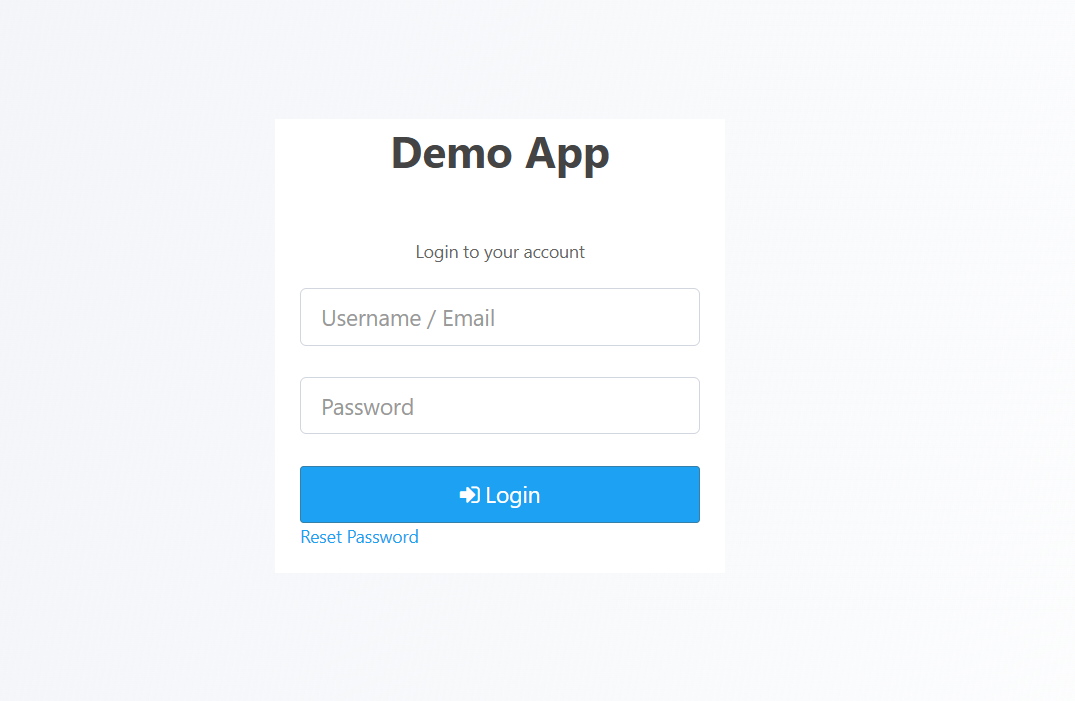
Log in to Simulations Labs

Go to simulationslabs.com and sign in to your account.

If you don't have an account yet, create one — it only takes a minute.


2

Open the AI Copilot

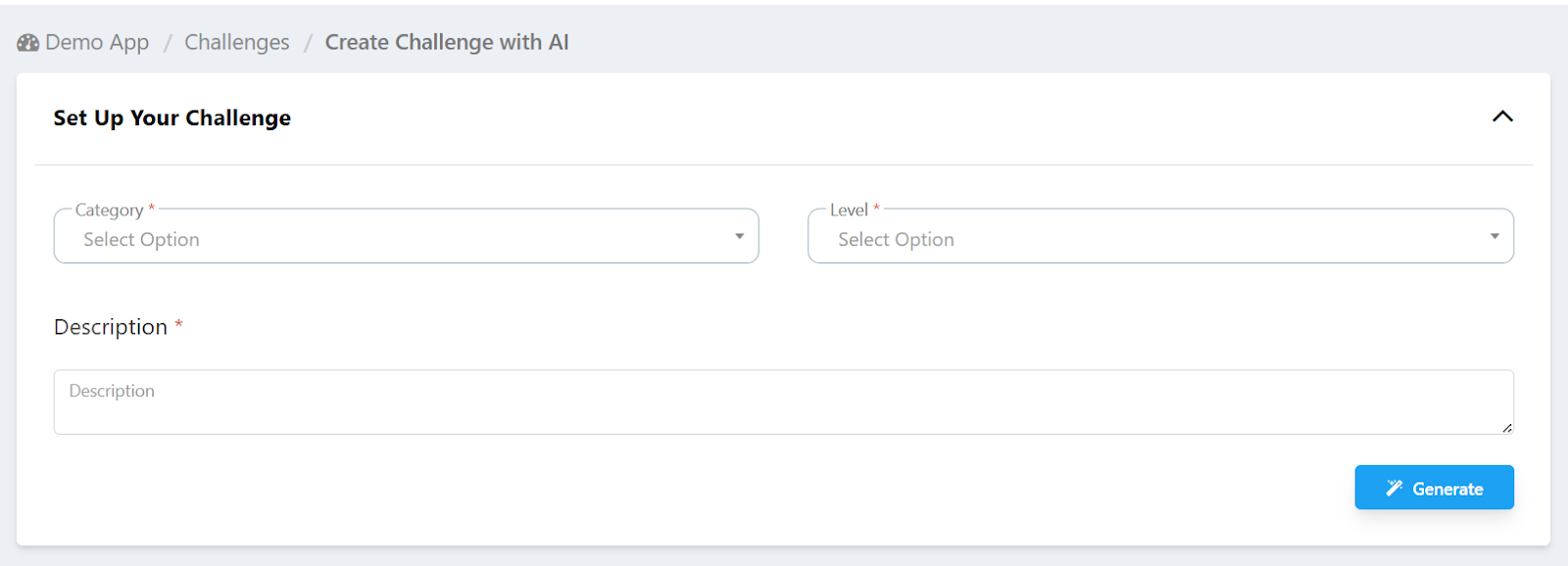
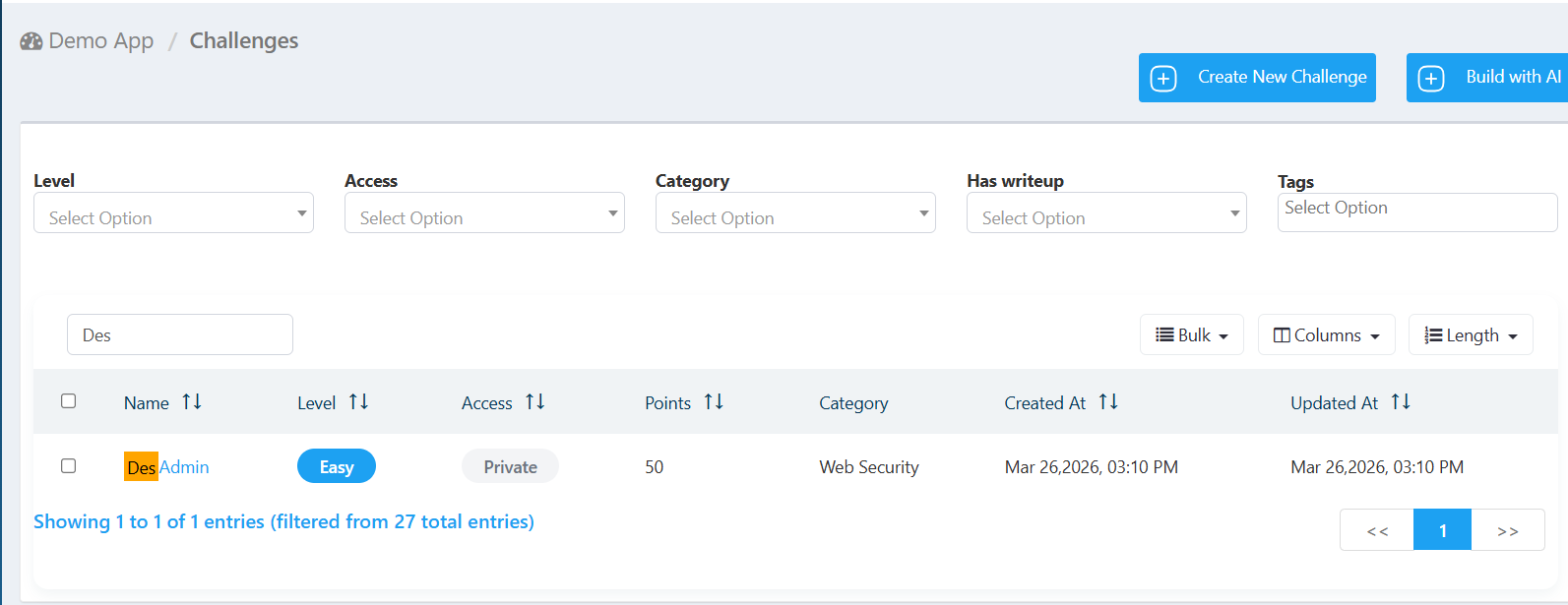
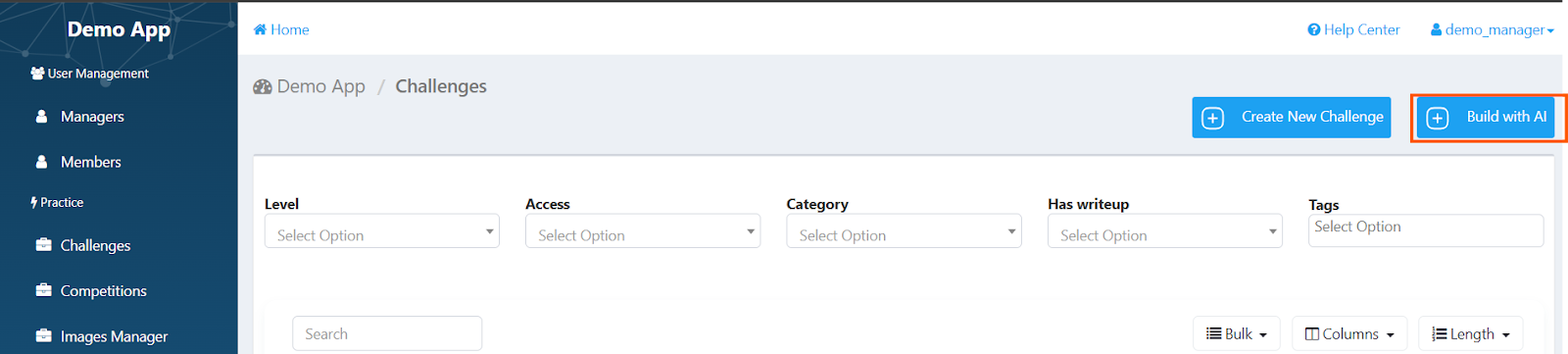
From your dashboard, click on challenges and then build with AI.

You'll see a simple text box — that's where the magic happens.


3

Describe what you need

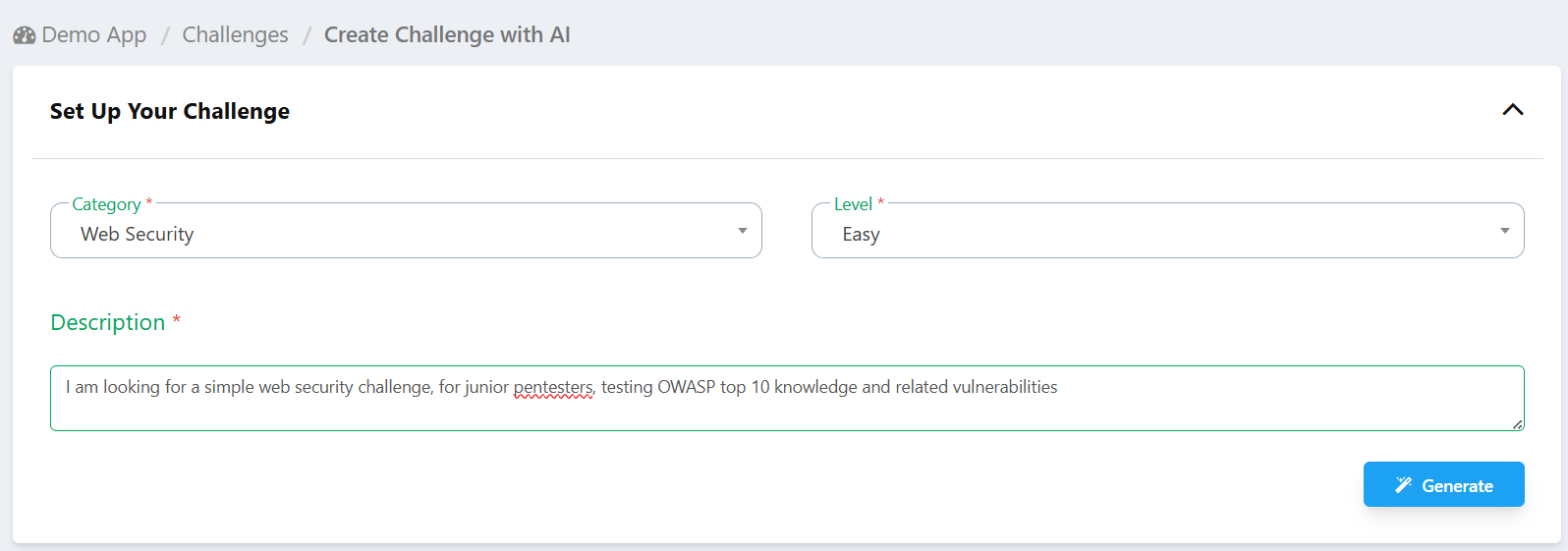
Type a plain-language description of the simulation you're looking for. No special syntax required.

You can be as specific or as general as you like — the Copilot understands both.


Examples of what you can type:

  •  "A web security challenge on SQL injection, easy difficulty, for a junior analyst"

  •  "Something for a red team training day"

  •  "Forensics challenges for a beginner-to-intermediate competition"


?TIP:  The more detail you provide — role, difficulty, topic, skill goal — the more accurate your results will be. But even a rough description works great.


4

Review your ranked shortlist

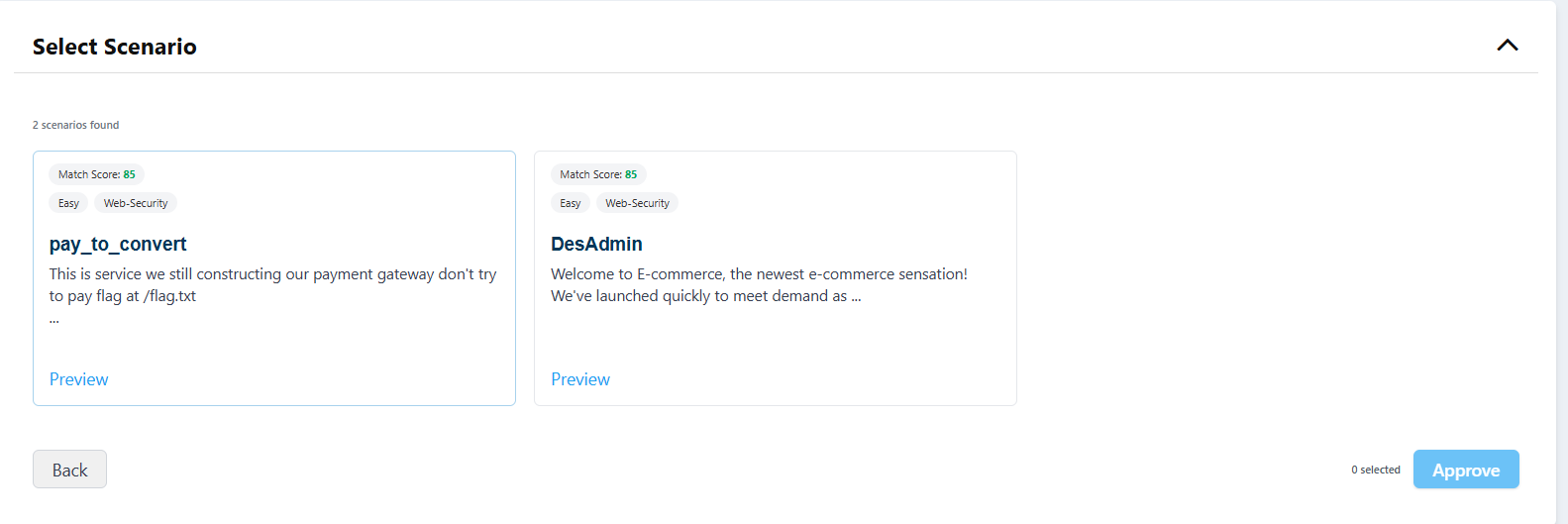
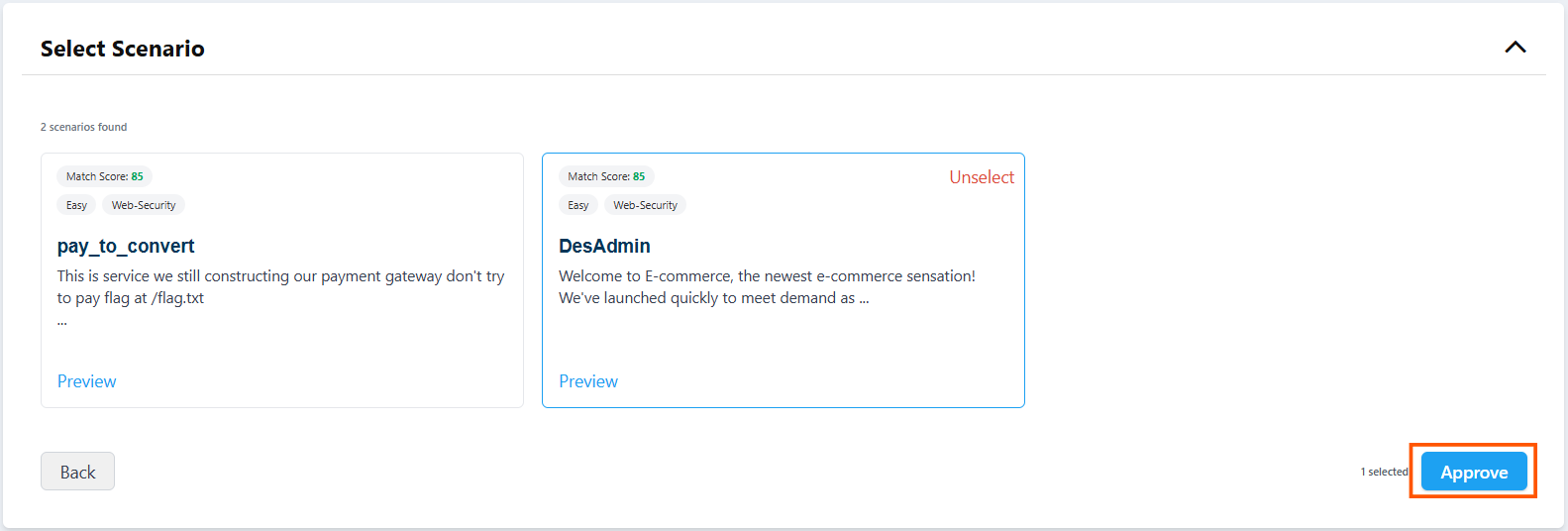
Within seconds, the Copilot returns a ranked list of the best-matching challenges.

Each result shows a match score, category tags, difficulty level, and a short description — everything you need to make a quick decision.

Results are ordered by relevance, so the top result is always the closest fit to what you described.


5

Preview challenges before selecting

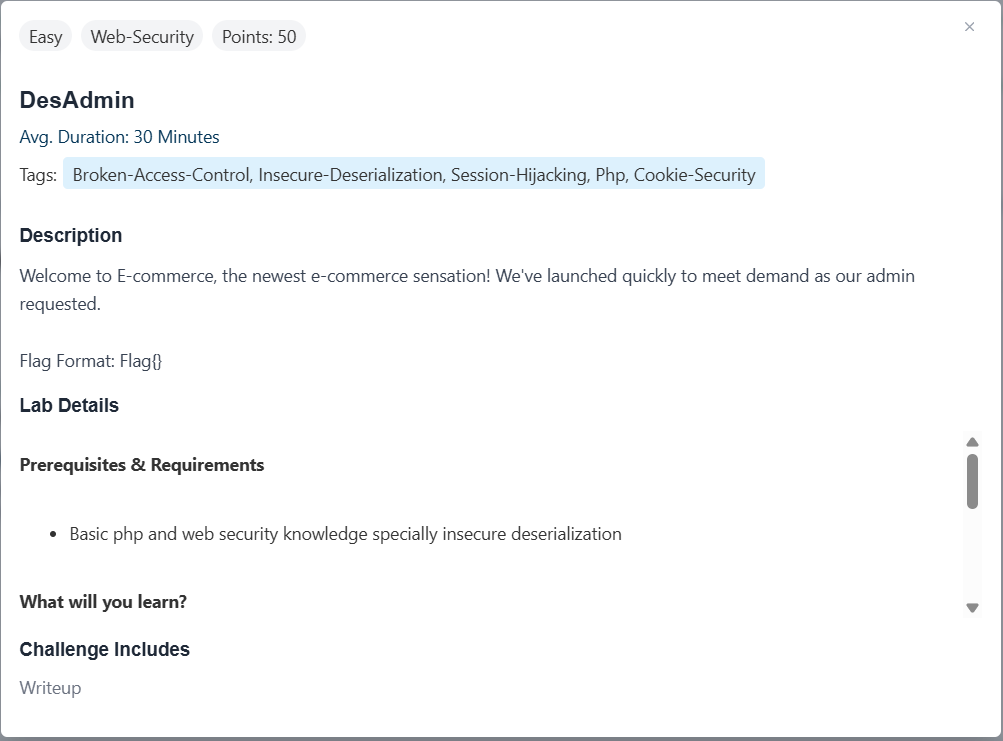
Click on any result to see the full challenge details before committing.

You can review the scenario, objectives, and difficulty to confirm it's the right fit.

This step is yours — the Copilot suggests, you decide.


6

Select and add to your program or event

Once you've confirmed your choices, click Approve to add them to your challenges database.

Your selected challenges are immediately ready to use — no setup or waiting required.


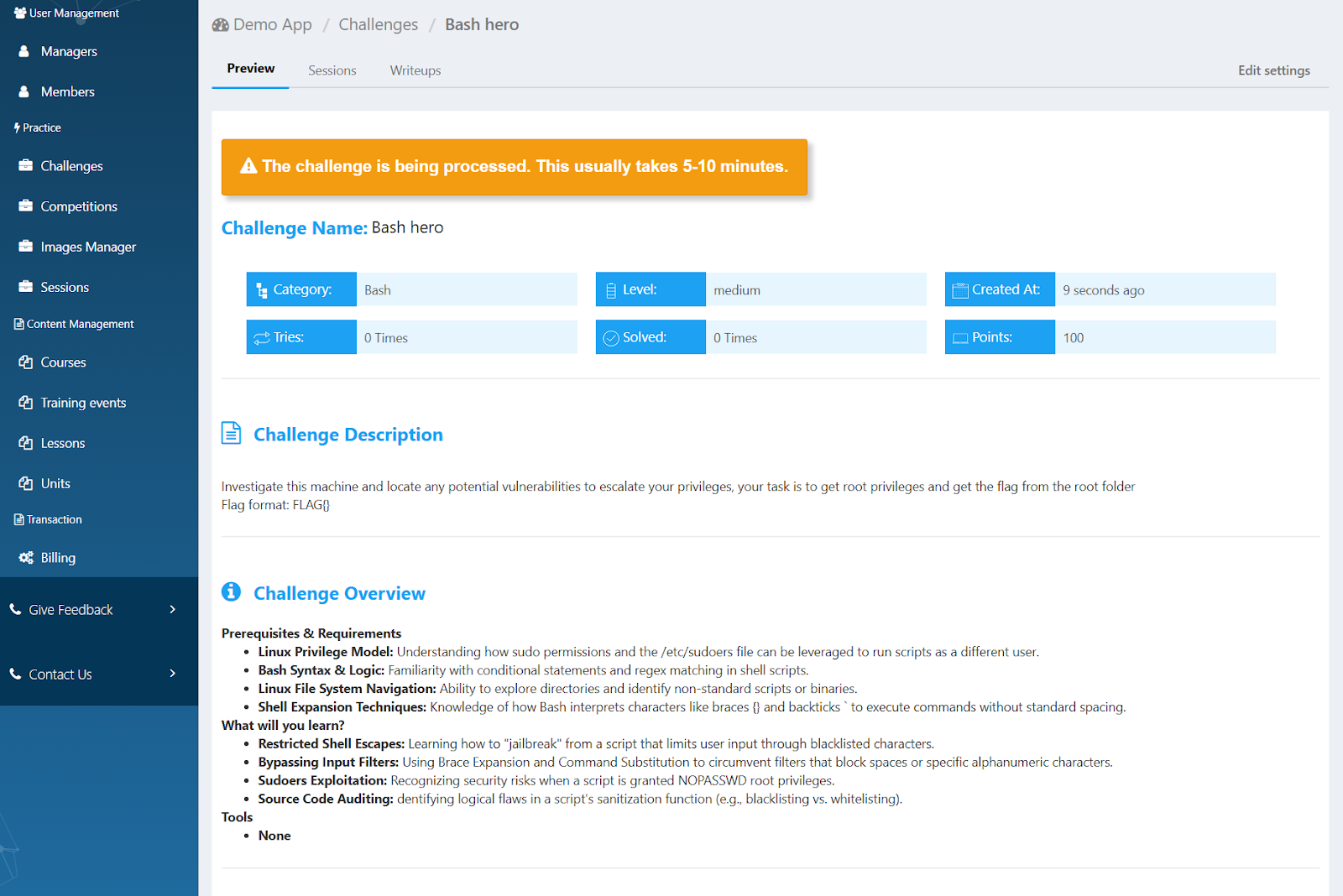
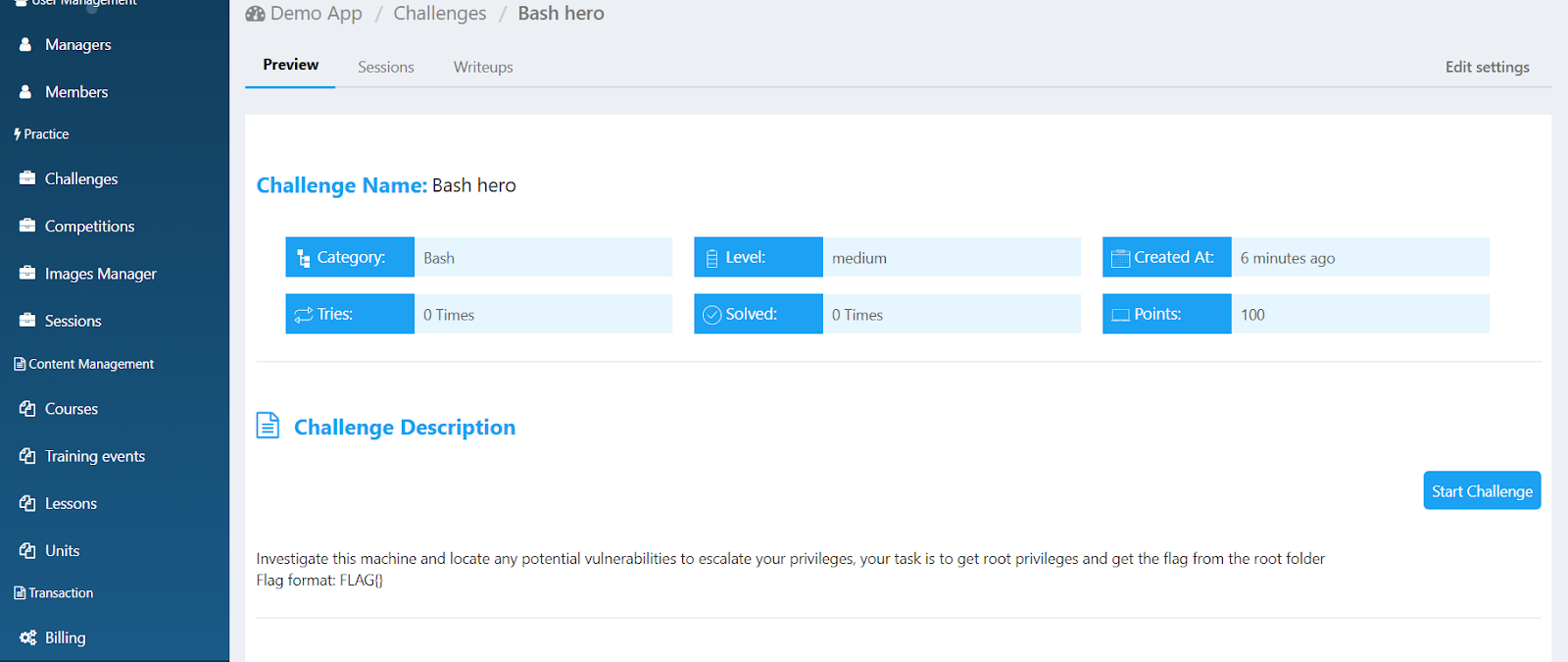
?TIP:  For challenges that include a web application, you need to wait for 5-10 minutes until the challenge is built successfully.


Visit the challenge preview page to check whether the challenge has completed building Check the challenge preview page to see if the challenge build is complete.


Upon successful completion of the build process, the status message will disappear. You will be able to test it and use it in your events or programs.


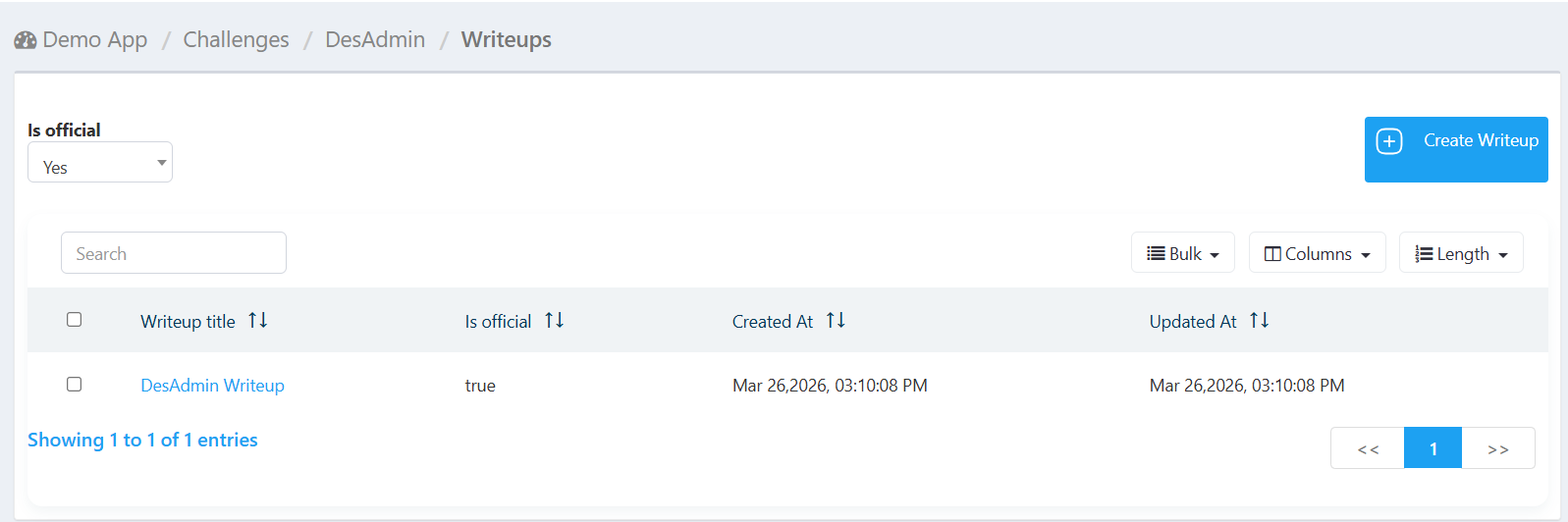
There is also a writeup (challenge solution) included with the challenges, you can view that by clicking on “writeup”


Tips for Getting the Best Results


  • Mention the job role or audience — "for a SOC analyst" or "for beginners" helps the Copilot narrow results fast.

  • Include difficulty if you know it — easy / medium / hard, or describe your audience's experience level.

  • Name the security domain — web security, forensics, cryptography, cloud, reverse engineering, etc.

  • Try a few variations — if your first search doesn't feel right, rephrase and try again. The Copilot responds well to different descriptions of the same goal.

  • You don't need to know the library — that's the point. Describe your goal and let the Copilot do the searching.


Frequently Asked Questions


Do I need to know how the library is organized?

No. That's the whole point. You describe what you need in plain language and the Copilot handles the search. You don't need to know category names, tag structures, or anything else about how challenges are catalogued.


What if I'm not happy with the results?

Try rephrasing your description with more detail — for example, add a role, a difficulty level, or a more specific topic. The Copilot responds well to different angles on the same goal.


Does the Copilot make the final decision for me?

No. Every result includes a preview so you can review the challenge before selecting it. The Copilot finds the best candidates; you decide what goes into your program. Your judgment stays at the center of the process.


Is my training data or content shared?

The Copilot works against the Simulations Labs challenge library. Your training programs and event configurations are private to your account.


Was this article helpful?

That’s Great!

Thank you for your feedback

Sorry! We couldn't be helpful

Thank you for your feedback

Let us know how can we improve this article!

Select at least one of the reasons
CAPTCHA verification is required.

Feedback sent

We appreciate your effort and will try to fix the article